LLM Outbound Adapter
Description
This channel implements an LLM Adapter that can be used to send requests to Large Language Model (LLM) providers and receive AI-generated responses. The channel supports multiple providers such as OpenAI, Anthropic, Mistral, Gemini, Azure, and Ollama.
The channel allows you to configure a primary LLM configuration and an optional fallback configuration. If the primary provider fails, the fallback configuration can be used automatically.
This adapter requires a valid Advanced AI product license. Contact licensing@soffico.de to request or upgrade your license.
Configuration
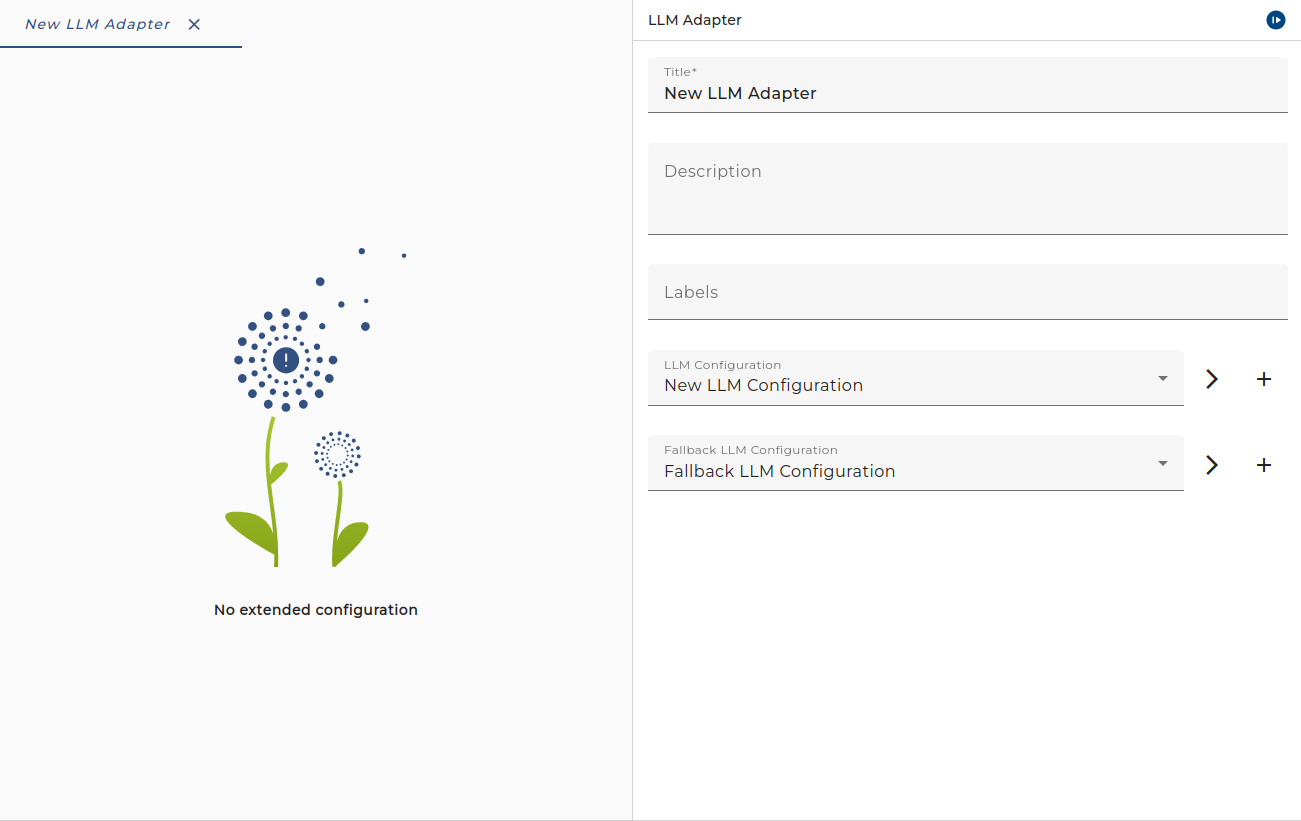
The dialog to configure the LLM Outbound Adapter looks like:
Purpose of object
Use this channel to invoke LLM providers from your process model. Configure it with one or two LLM Configuration environment entries that define the provider, model, and generation parameters.
Creation
To create an LLM Outbound channel, follow the steps described in the general description of Scenario Elements.
Configuration
The dialog to configure the LLM Outbound channel looks like this:
| Setting | Description |
|---|---|
| LLM Configuration | Select or create an LLM Configuration environment entry. This defines the primary provider (e.g. OpenAI, Anthropic, Ollama), model, API credentials, and generation parameters. |
| Fallback LLM Configuration | Optional. Select an alternative LLM Configuration to use when the primary configuration fails or is unavailable. |
Parameters
When calling the channel from the process model, you provide input parameters and receive output parameters. The following parameters are available:
| Parameter Name | Direction | Type | Required | Description |
|---|---|---|---|---|
USER_MESSAGE | Ingoing | String | Yes | The user message to send to the LLM. This is the main prompt content. |
MSG | Ingoing | Message | No | A message to be sent to the LLM. Use this when the prompt content comes from a message (e.g. serialized or transformed). |
SYSTEM_PROMPT | Ingoing | String | No | System prompt to control the LLM behaviour. Overrides the default system prompt configured in the LLM Configuration. |
ATTACHMENTS | Ingoing | MessageList | No | Attachments to be sent to the LLM (e.g. images, documents for multimodal models). |
RESPONSE_SCHEMA | Ingoing | String | No | Optional JSON Schema for the LLM response. Use when the LLM Configuration has Response Format set to JSON to enforce a specific output structure. |
MSG | Outgoing | Message | — | The response of the LLM. Check next chapter for the output message structure. |
Response Message Structure
The outgoing MSG parameter is a message with the following structure:
| Element | Type | Description |
|---|---|---|
responseText | String | The generated text response from the LLM. |
responseModel | String | The model identifier that was used to generate the response. |
inputTokens | String | The number of tokens in the input (prompt). |
outputTokens | String | The number of tokens in the generated output. |
finishReason | String | The reason the model stopped generating (e.g. stop, length, content_filter). |